Post in category
- Fix Autocomplete (new) ✨
- 📍 Addresses - autocomplete
- 📍 Addresses - validation
- 📍 Addresses - location
- 📍 Addresses - detailed information
- 💼 Companies - autocomplete
- 💼 Companies - validation
- 💼 Companies - detailed information
- ✉️ E-mails - domain autocomplete
- ✉️ Emails - validation
- 📞 Phone numbers - dialing code autocomplete
- 📞 Phone numbers - validation
- 👤 Names - validation
- 🧠 Advanced UX
🧠 Advanced UX
Foxentry isn't just a data-validation tool running somewhere in the background – it's a comprehensive solution for a perfect user experience (UX) in your forms. All the interactive info messages, smart suggestions, and acceleration of the purchasing process are fully-fledged features that increase your website's conversion rate.
API vs JS library: don't miss out on the ready-made UX
Many developers automatically choose a pure API connection when deploying. Although our interface is top-notch, by integrating on their own, clients often deprive themselves of a polished frontend experience. Our ready-made JavaScript library handles browser quirks, interactive elements, and non-standard user behavior entirely for you, saving you dozens of hours of complex custom-interface development.
Active assistance instead of passive errors
Common validation services work passively. When a customer makes a mistake, the system stops them with an error message and forces them to correct the value. Foxentry takes a completely different approach – we work as an active assistant and solve problems directly on behalf of the user:
- cross-field intelligence: if a customer doesn't start logically and fills in the city first, our system automatically moves them to the street field, and the autocomplete immediately filters to show only streets from that location,
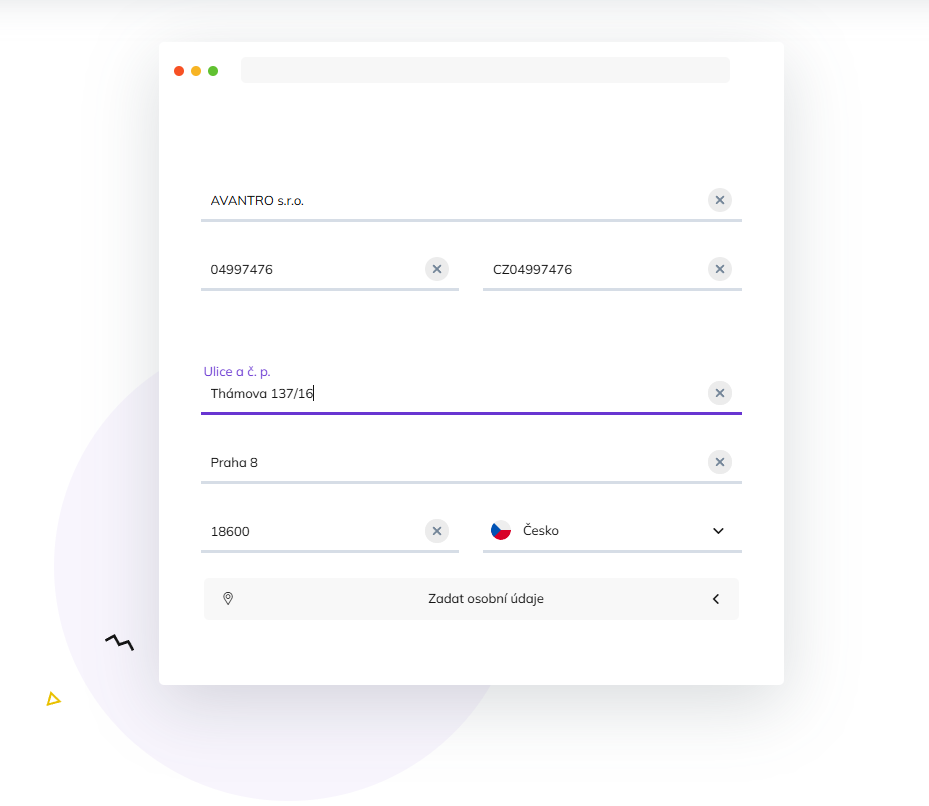
- visual representation of corrections: the system silently corrects obvious typos and visually shows the user (using an animation and a green badge) exactly what it changed, so the user always has a clear overview,
- alternative suggestions: if the system isn't 100% sure, it doesn't delete the value, but instead shows an interactive bubble with a recommendation (smart correction) that only needs a click for quick confirmation.
Taming unruly browsers (Fix autocomplete)
Aggressive autofill in browsers like Chrome or Safari can completely break a checkout form. Browsers often confusingly insert the city into the street field or force outdated data on the user. That's why our UX includes the Fix autocomplete feature, which instantly processes the data from the browser:
- reordering of fields: jumbled data is rearranged into the correct fields within milliseconds,
- automatic correction: the inserted values are immediately validated and normalized to the correct format in the background,
- filling in missing data: if the browser doesn't fill in the entire address, the system automatically completes the remaining empty fields.
Smart UI elements and mobile optimization
Our JavaScript library enriches your existing fields with interactive elements that ensure maximum accessibility and comfort when filling in data.
- clear buttons: once a value is filled in, a subtle cross appears in the field, allowing the entire value to be deleted with a single click without having to tediously delete it character by character,
- loading indicators (loaders): while data is being verified in real time, a subtle animation appears, giving the user clear feedback that the system is working,
- accessibility: both the autocomplete and the validator are fully optimized for screen readers, so users with visual impairments can get through the form without any problems.
Full control over the visual style
Integrating via our JS library doesn't mean we insert a foreign-looking element into your website. You can configure all the UX behavior and visual style in the Appearance settings section directly in our administration, without writing any code.
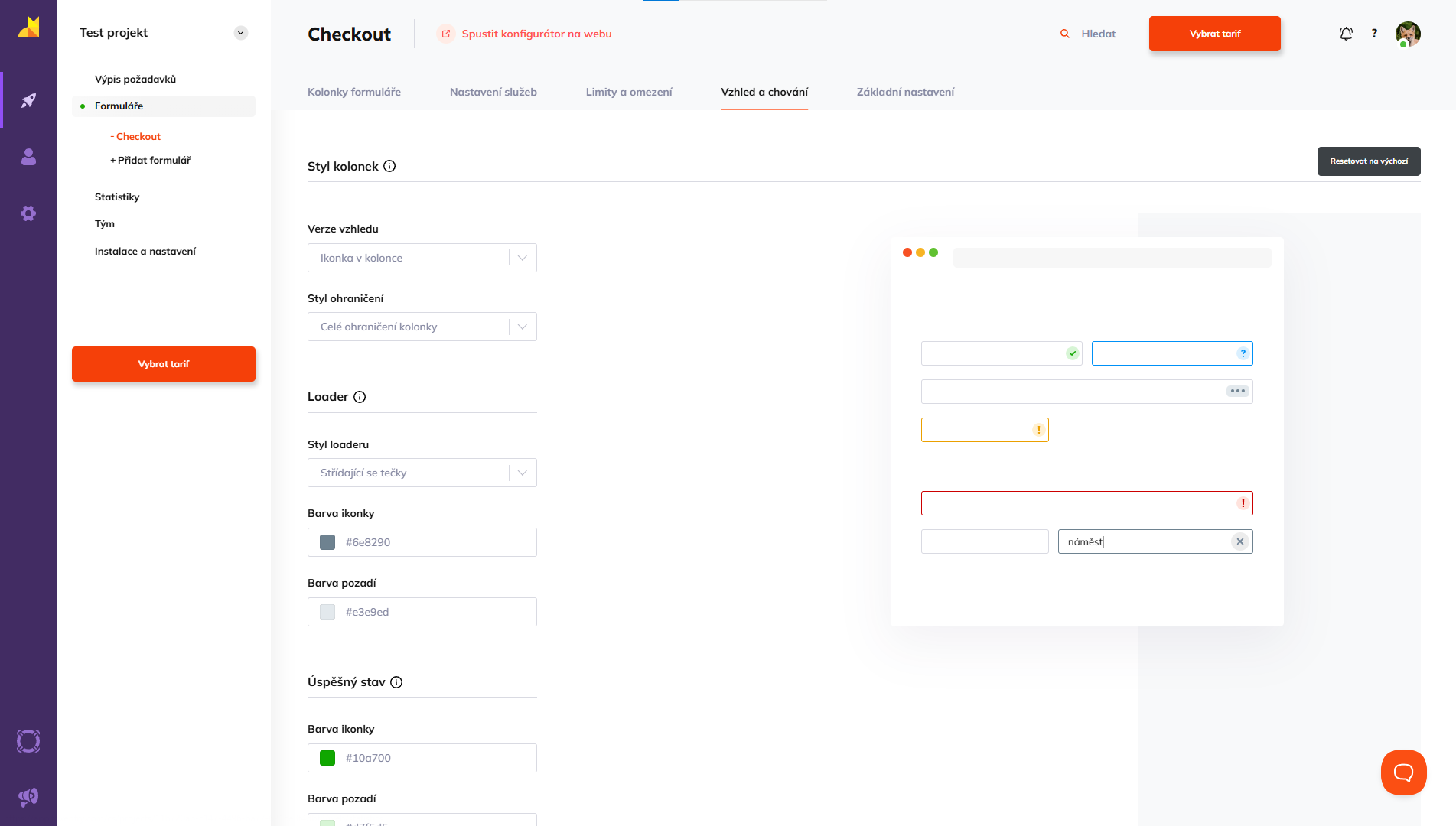
- field and loader styles: choose the color of the icons, the type of loading animation, or the way fields are outlined upon successful validation,
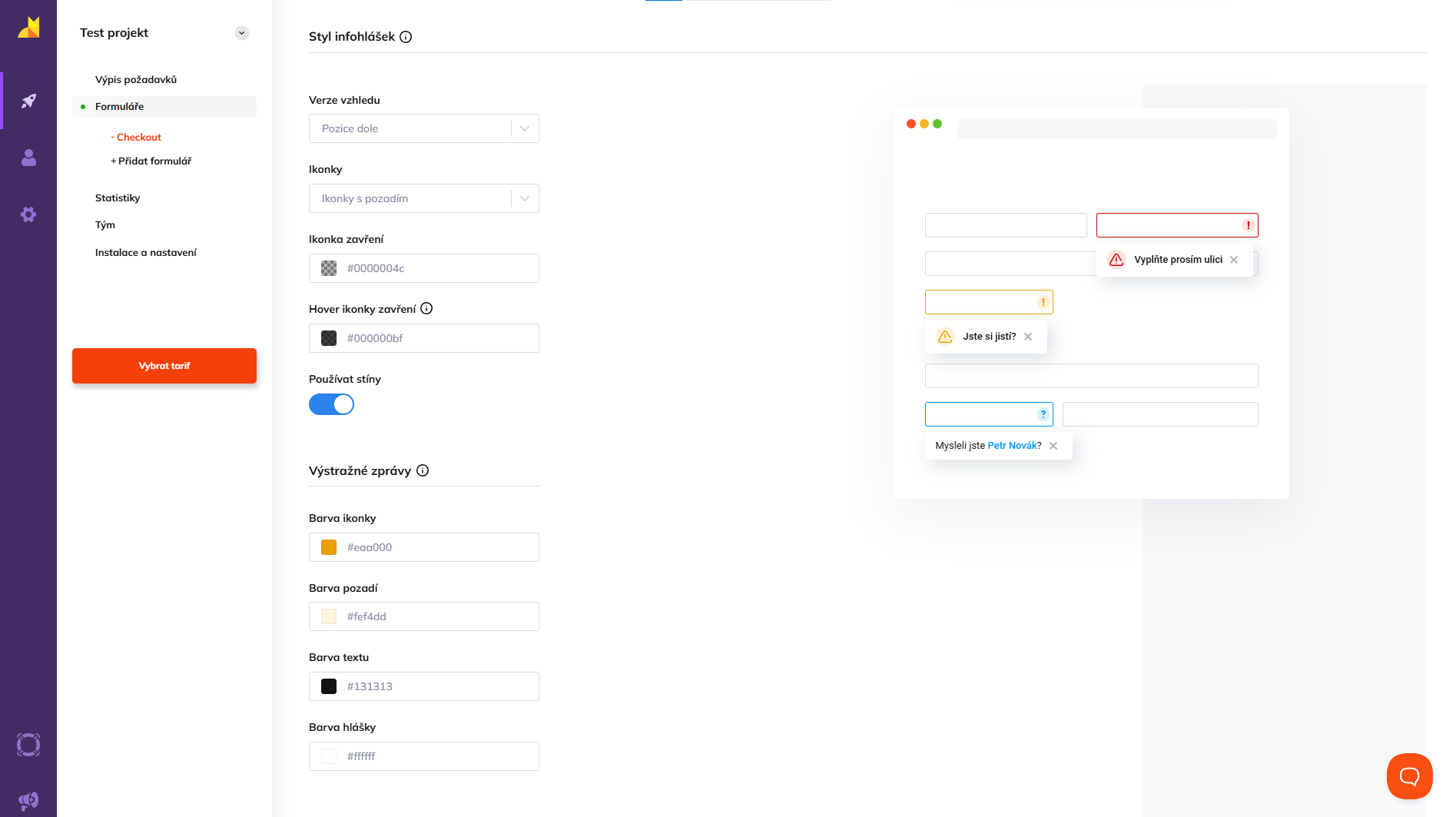
- info messages: define the appearance of warning messages, whether you prefer a tooltip next to the field, text below it, or highlighting of the whole field.