

Yes. Every new project gets 14 days free. After that, you need to activate a paid plan, otherwise the services will be paused.
Try Foxentry for freeHelp Center
What does the fox say?


Starting with Foxentry
The basic information you need to get started with Foxentry.
4 Posts

Your account
Everything about your account. From now on, you will not get lost in the administration.
5 posts

Projects
How to set up a new project quickly and easily. We'll also introduce you to the types of projects.
5 posts
Creating a project
How to make a new project quickly and easily. We will also introduce the types of projects.
18 posts

Types of services
All information about offered services and their use.
14 posts

Installation and integration
How to properly implement Foxentry into your website or system.
21 posts

Subscription and invoicing
Who? With whom? For how much?
Here you will find the right answer.
6 posts

Data cleanse
You can also validate the data offline. Here you can find how to do it.
8 posts

Security
Everything you ever wanted to know about our data security.
3 Posts

Affiliate
Recommend Foxentry and get a lifetime
commission.
6 posts
FAQ
You insert a single script and mark the form fields in the configurator. Even a non-technical person can handle it. If you're not sure how, we'll install it for you for free.
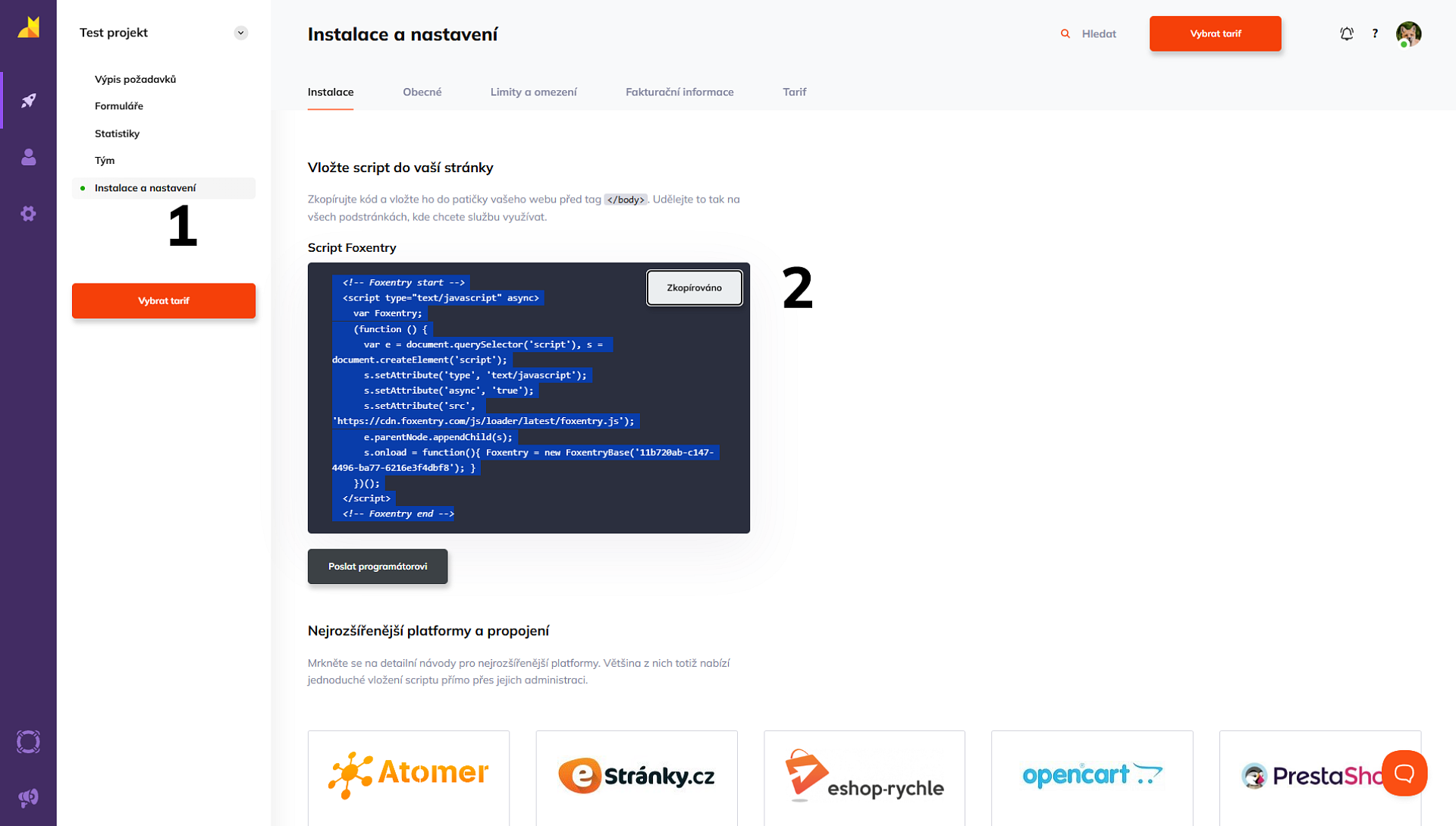
A project works on its own domain and all of its subdomains. For a different main domain, create a new project.
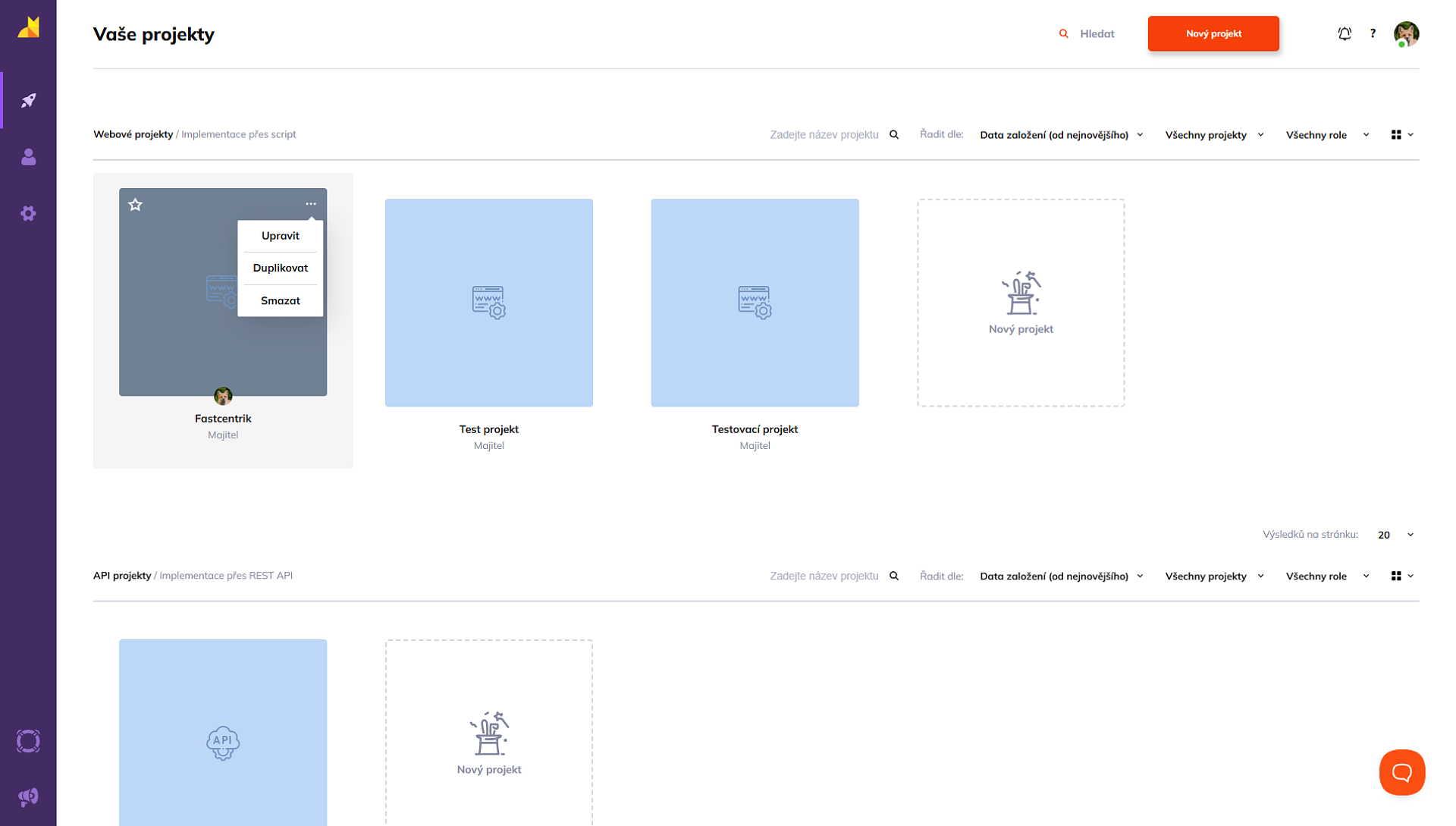
🌐 WEB - Project SettingsA website project is for forms on a website via a script; an API project is for connecting your system via the REST API.
This is usually one of five causes. Go through them in this order:
- Active plan: has the trial ended, or has the limit been used up?
- Allowed countries: are you outside the allowed country, or on a VPN?
- The script is on the page with the form.
- The website's domain matches the project's domain.
- The field is mapped and has Autocomplete turned on.
Typically, the trial ended, the plan's limit was used up and the project doesn't allow requests beyond it, or the form fields changed after an edit to the cart.
🌐 WEB - Limits and Enabling Individual ServicesYes. Foxentry itself never blocks a form submission – it only warns and offers a correction, so you don't lose the order. A hard block can be set up by your developer.
Determining the status of form validationWe rely on official address registers, not maps. A newly built property may not be in the register yet, and some buildings have a registration number instead of a house number. Send us the address and we'll check it.
📍 Addresses - validationYour browser may have saved an old version. Clear the cache and try again.
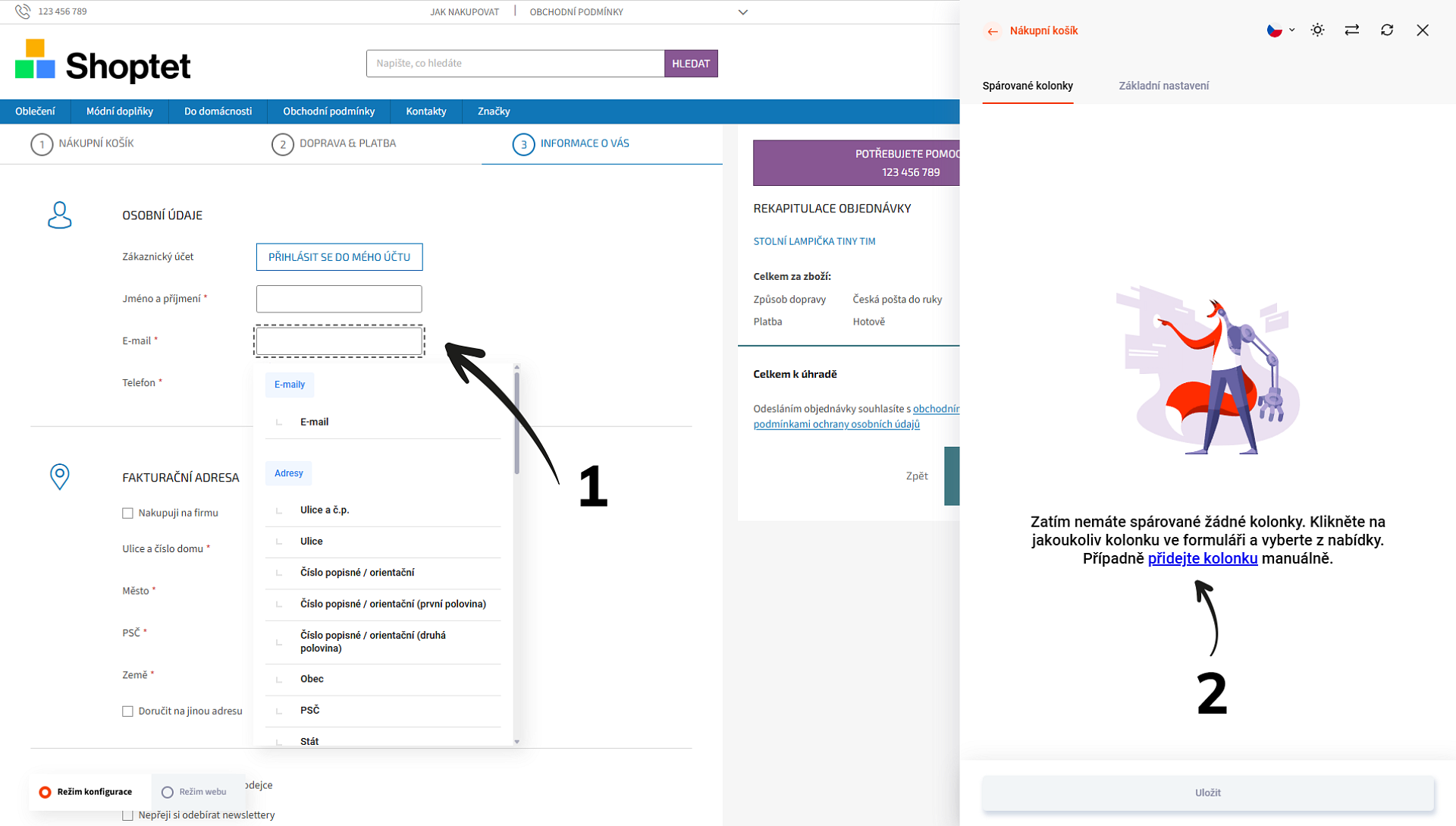
How to clear your browser cacheTwo ways: with the interactive configurator directly on your website (recommended), or manually by entering selectors in the application.
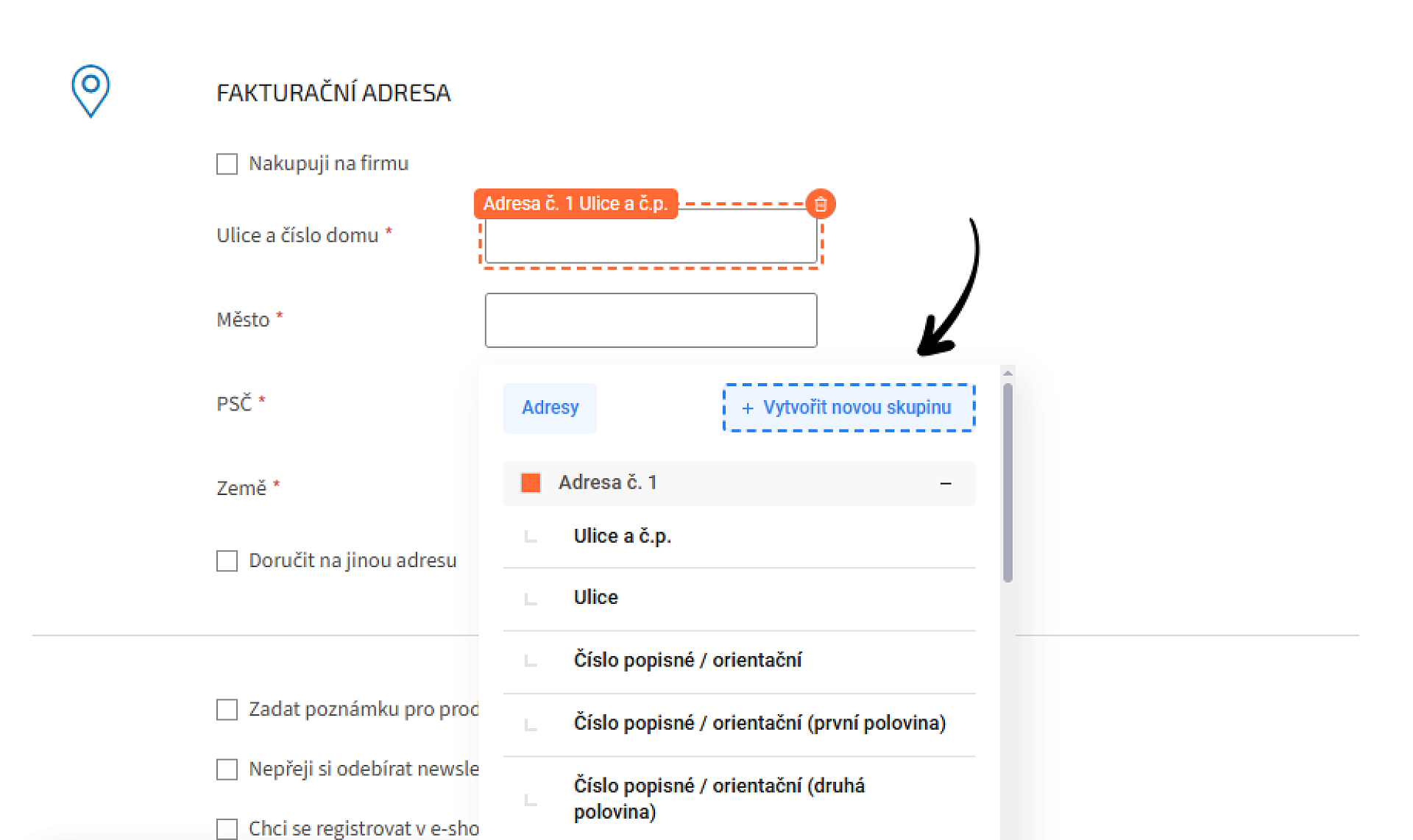
Each address must be in its own group. In the configurator, click into the field and choose Create new group.
Map both variants, as well as further checkout steps, such as the delivery address in step 2. Whatever isn't mapped, Foxentry can't see.
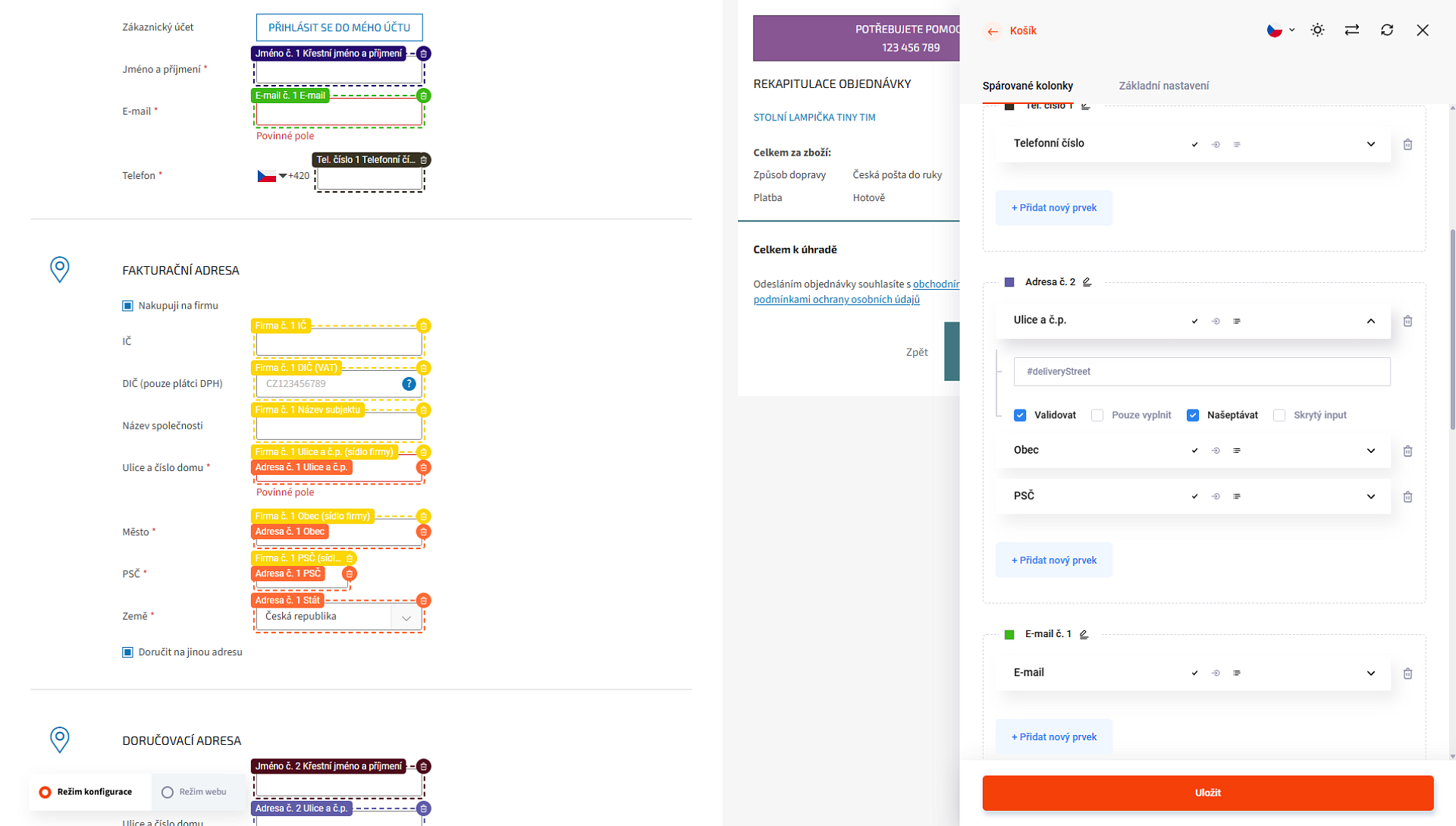
The quick menu in the configurator only shows the most common fields. You add the country, region, or GPS in the right-hand panel via Add new element.
Web Configurator - Field Pairing ⭐When the form has no dial-code field, we estimate it based on the visitor's country. Map the dial code field and set your preferred dial codes.
📞 Phone numbers - settingsIn several countries, the VAT ID is a different value from the general Tax ID. Don't map the VAT ID into the Tax ID field – add a separate field when your customers' country needs it.
💼 Companies - settingsExtended validation queries the mail server directly. It can respond with an error, for example when the mailbox is full. For that reason, don't use the result for a hard block.
✉️ Emails - validationMap the country field. The autocomplete will then only offer addresses from the selected country.
📍 Addresses - settingsDepending on your project settings, either the service keeps running and requests beyond the limit get billed on top, or it's paused until the end of the period.
🌐 WEB - Limits and Enabling Individual ServicesIn your profile, in the Billing information section, right after the payment is matched.
Topping Up Your PlanIn your account settings, you can send billing statements to a different e-mail address.
Sending invoices to a different emailData is anonymized on input, and we only store what's needed to deduct requests. Communication is encrypted.
Your data is safeRestrict the project to specific countries or IP addresses, and restrict API keys to the IP addresses of your servers.
🌐 WEB - Limits and Enabling Individual ServicesComplete documentation, examples, and SDKs are available at foxentry.dev.
⚙️ API - DocumentationCheck the IP restriction on both the API key and the project settings, and make sure you're using a key from the correct project.
⚙️ API - Generating an API Key