Post in category
- Website installation - introduction 💡
- Installation to known platforms ⭐
- Adding a New Form
- Web Configurator - Field Pairing ⭐
- Web Configurator - Control Elements
- App - field mapping
- 📍 Addresses - settings
- 💼 Companies - settings
- ✉️ E-mails - settings
- 📞 Phone numbers - settings
- 👤 Names - settings
- Deactivating/activating services in a form
- Foxentry Appearance and Behavior 🎨
- Javascript API
- ⚙️ Rest API
- Determining the status of form validation
- Custom processing of validation data - Callbacks
- Cookies 🍪
- How to clear your browser cache
- API Key Expiration
- Shopify
📞 Phone numbers - settings
Properly configuring phone number validation is essential for smooth communication with customers and for carriers who need to deliver a shipment. In this guide, we'll show you how to set up phone fields in Foxentry, how the different notation formats work, and how to manage dialing codes for international sales.
Phone groups and recommended settings (best practices)
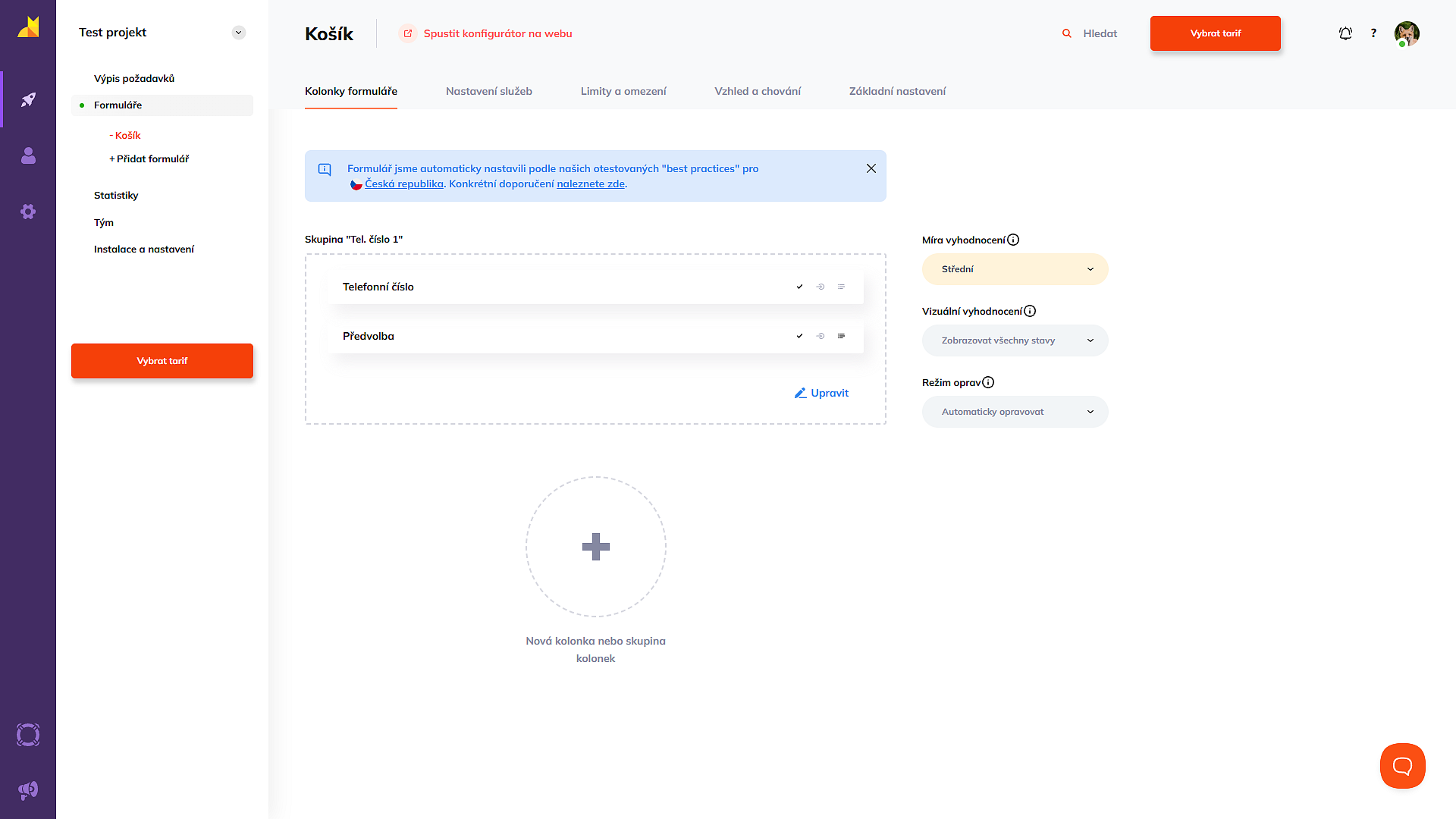
The basis for correct functioning is dividing the data into groups. A phone group usually contains a field for the number itself and, optionally, a field for the dialing code (if you have it separated in your form). Here too, Foxentry can offer you an automatic preset based on our tested recommendations ("best practices") for specific countries, which is indicated by the blue banner above the list of fields.
In the right-hand panel, you can set the overall behavior for the entire group:
- Evaluation level: determines how strictly the entered number is checked (minimal, medium, strict). This affects how much the system tolerates non-standard characters and when it alerts the user to an error (e.g., using color or a text message).
- Visual evaluation: determines whether visual states and error messages are displayed to users. You can turn on the display of all states, limit it to valid/invalid data only, or disable the visualization entirely.
- Correction mode: defines whether the system should automatically correct obvious errors in the numbers or their formatting.
Behavior of individual fields within a group
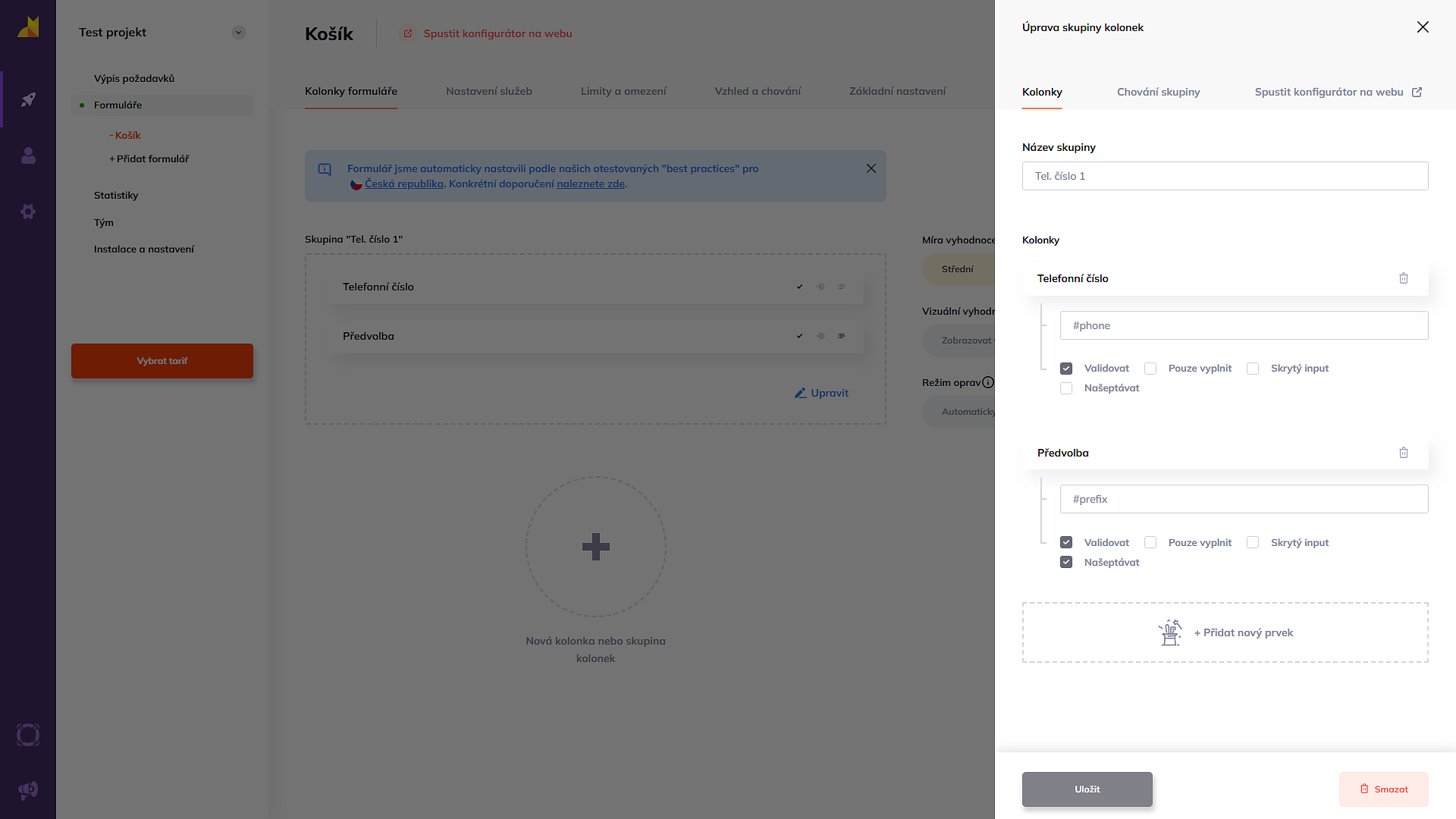
After expanding the group (the Edit button), you can define the behavior for each field separately:
- Validate: once the number is entered, it is checked (according to the type of validation you choose in the advanced settings).
- Fill only: the system automatically fills in the field based on another action, but does not perform validation or autocomplete on it itself.
- Suggest (autocomplete): this function is especially key for dialing code fields. After clicking into the field, users see a dropdown with flags and country codes, which greatly simplifies selecting the correct country and prevents errors.
- Hidden input: an informational label for fields that are not visible to users on the website.
Setting options and depth of number verification
In the Service settings tab, in the Phone numbers section, you'll find detailed options for the depth of verification and the final format in which the data should be stored in your system.
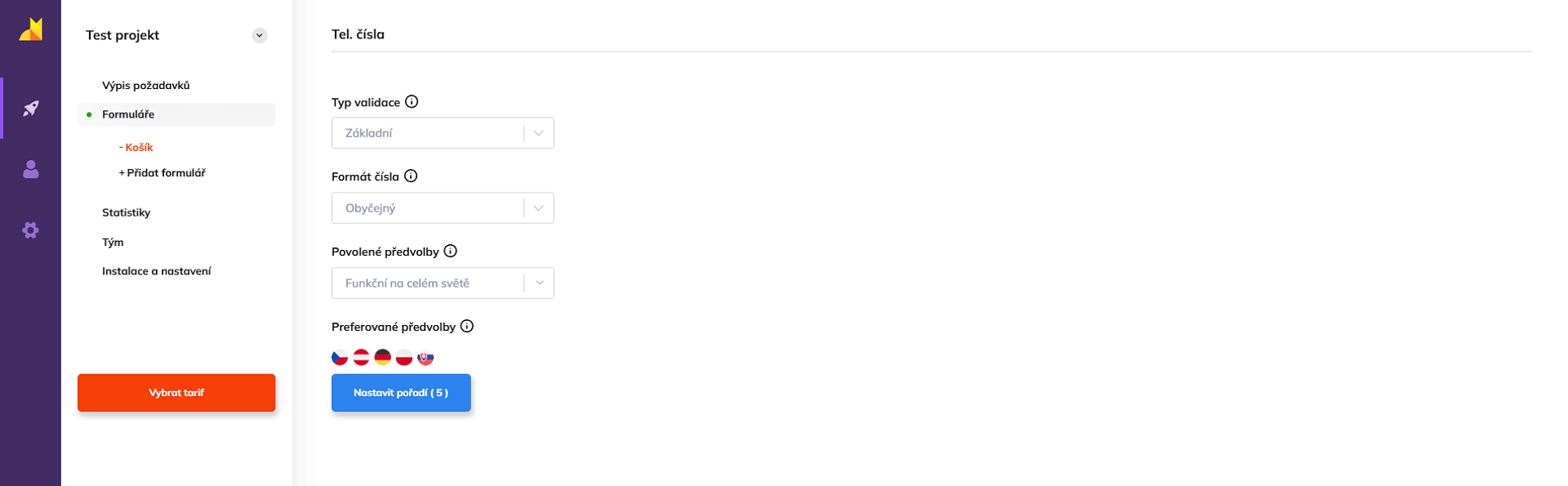
Phone validation type
- Basic: the system only checks the format of the phone number (whether it has the correct number of characters for the given country, the correct structure, and does not contain forbidden characters).
- Extended: in addition to the format, Foxentry also verifies in the background the real existence of the given number, the carrier type, and whether the number is currently connected to the network. This effectively eliminates fake or inactive numbers in your database.
Number format after validation
Here you determine the form in which the number should be inserted into the form after successful verification. You can choose from four standards:
- Plain: inserts only the digits without any spaces or formatting (e.g., 02079460958).
- Local: the number is formatted according to the conventions of the given country, including spaces or brackets (e.g., 020 7946 0958).
- International E.123: an international format with the dialing code and spaces (e.g., +44 20 7946 0958).
- International E.164: an international format as a continuous string without spaces (e.g., +442079460958).
Managing dialing codes and international settings
- Allowed dialing codes: determines the countries from which phone numbers are accepted in your project. If a user enters a number with a dialing code that you have not allowed, the system will evaluate it as invalid.
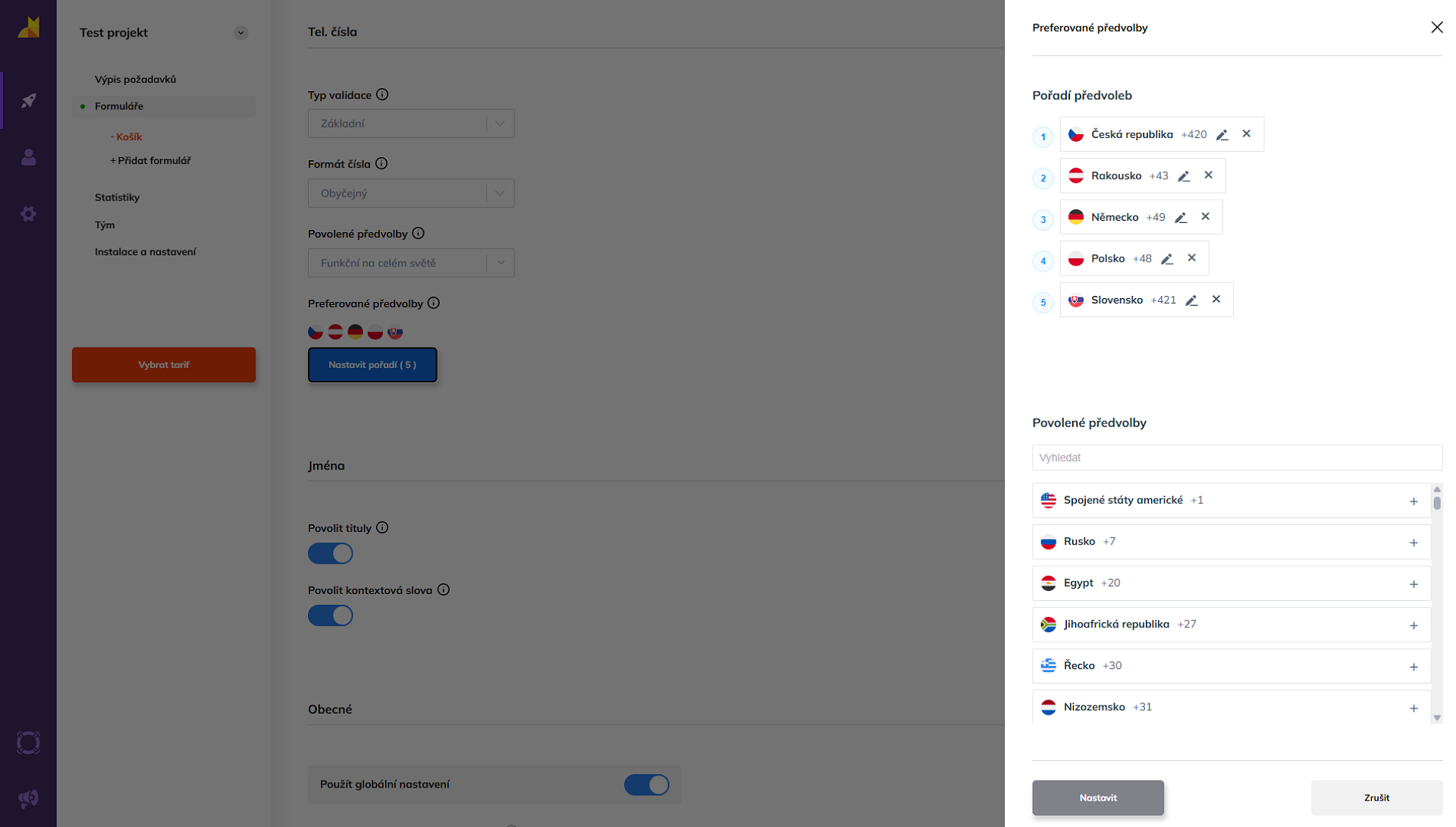
- Preferred dialing codes (country priority): this setting addresses situations where a customer enters a number without an international dialing code. After clicking the Set order button, you can use drag & drop to determine the hierarchy of countries. If the entered number is valid in multiple countries at the same time, Foxentry will validate it according to the country that is highest on the list.