

Messages and notifications
Updated this month
In this article
In the Foxentry administration, you can precisely set which email addresses we send invoices, payment reminders, or technical notifications to. This way, you can easily separate billing messages from project-related ones.
Where can you find this setting?
Getting to the notification settings is very easy:
- In the left main menu, click the gear icon (Settings) and select the Messages and notifications tab at the top.
- Or click your initials (or avatar) in the top right corner, select Profile from the personal menu, and then switch to the Messages and notifications tab.
Types of messages and notifications
In this section, you can edit the contact details for different types of messages. The default email for all fields is your main account's email, but you can override it for each category as needed:
- Email for payment reminders: we'll send payment reminders for your orders to this address,
- Email for invoices: we'll send tax documents (already paid invoices) to this address,
- Email for project notifications: the address for all other system and project notifications not related to payments,
- SMS alerts: use the toggle to turn sending important alerts via SMS message on or off,
- Subscribe to news: choose whether you want to receive emails from us with news and tips for using the application effectively.
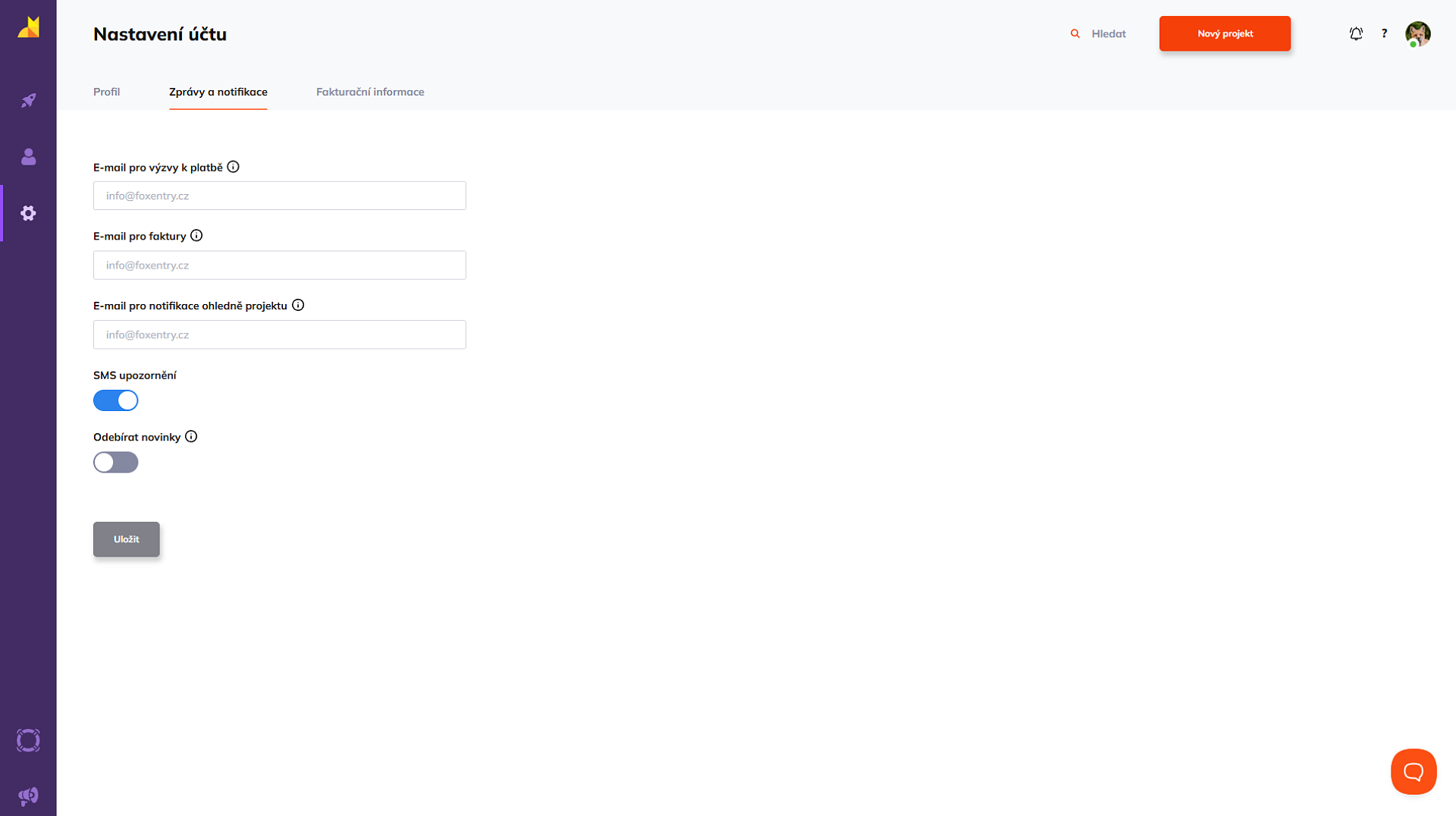
Once you have all the details set up, don't forget to confirm the changes by clicking the Save button at the bottom left of the screen.
Still having trouble? Leave us a note.