

Post in category
- Project Types 💡
- Creating a new project
- List of Projects
- Deleting a project
- Add a member
- 🌐 WEB - Description of the Project Home Dashboard
- 🌐 WEB - Project Settings
- 🌐 WEB - Limits and Enabling Individual Services
- 🌐 WEB - Forms
- 🌐 WEB - Topping Up Your Plan
- 🌐 WEB - Statistics
- ⚙️ API - Description of the Project Home Dashboard
- ⚙️ API - Project Settings
- ⚙️ API - Generating an API Key
- ⚙️ API - Documentation
- ⚙️ API - SDKs
- ⚙️ API - Topping Up Your Plan / Credit
- ⚙️ API - Statistics
⚙️ API - Project Settings
Setting up an API project is much more straightforward compared to a website project, because it focuses primarily on the technical backbone and resources for developers. In this section, you'll find everything you need for a successful start to your integration.
Installation and developer resources
The Installation tab serves as a hub for the technical part of your project. Instead of inserting a script, here you work with access to our API and connect Foxentry with your system.
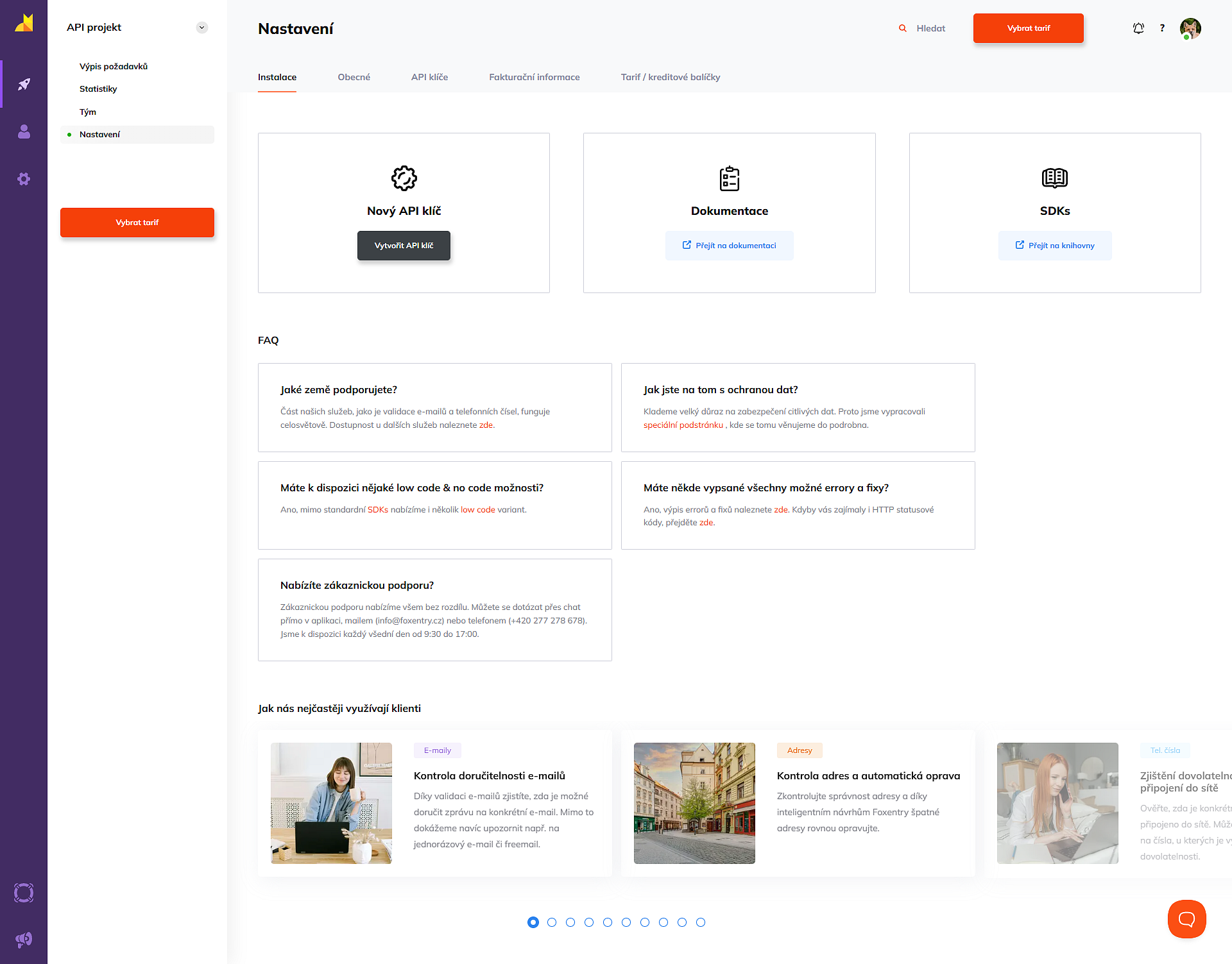
At the top, you'll find the three most important blocks:
- New API key: a button for quickly creating an access key, which you'll need for every call to our services,
- Documentation: a link to the complete technical documentation, where you'll find a description of all endpoints, parameters, and request examples,
- SDKs: ready-made libraries for various programming languages (e.g. PHP, JavaScript, Python), which will significantly simplify the implementation itself.
You'll also find an FAQ section here with answers to the most common technical questions, and an inspiration block with real-world examples of deploying e-mail, address, or phone number validation via the API.
General settings
The General tab is very simple for an API project and serves primarily to administer the project as such.
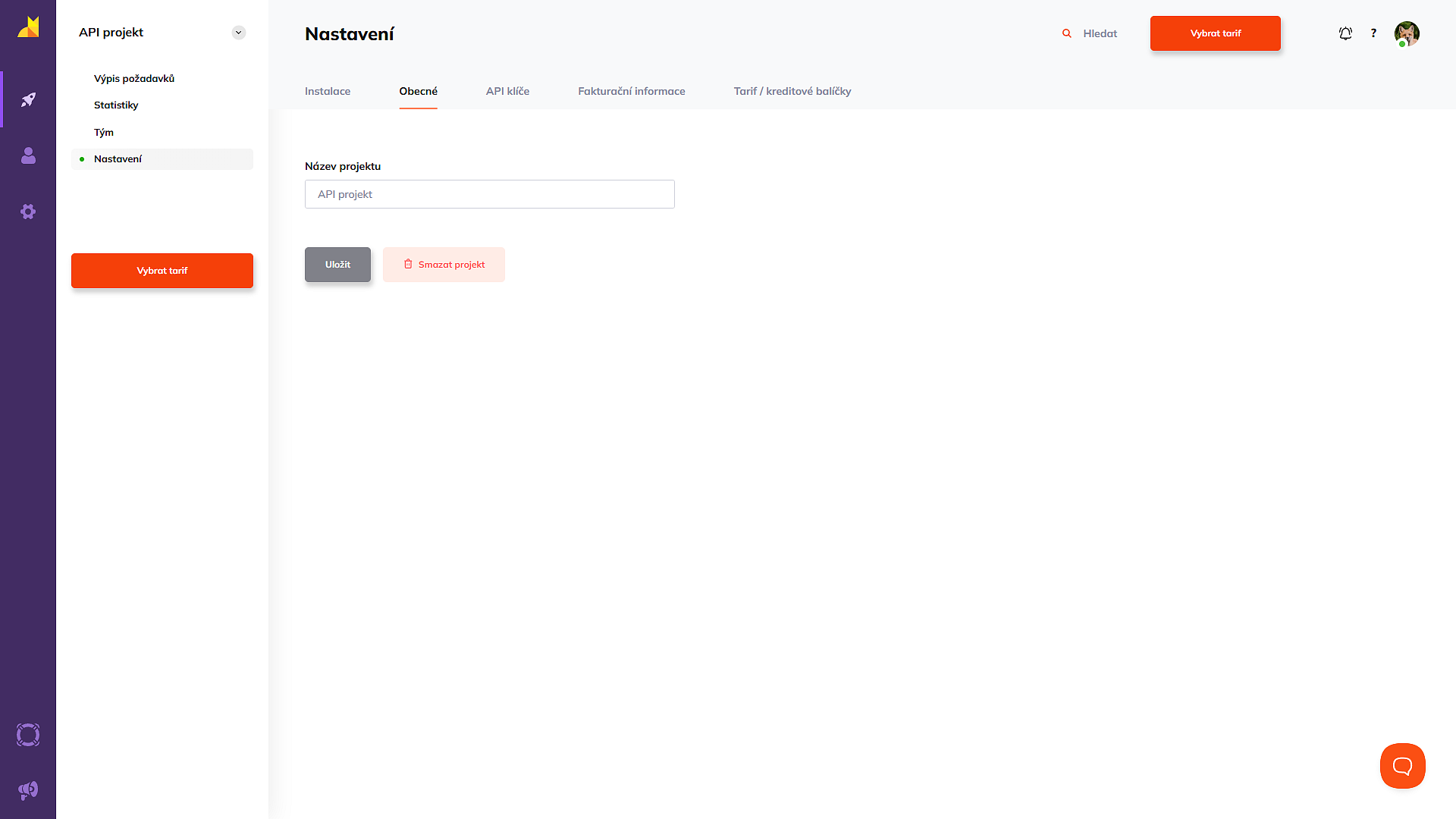
- Project name: here you can change the project's internal name at any time, for better orientation within your account,
- Delete project: at the bottom, there's a button for permanently removing the project (this step is irreversible and immediately disables all API calls).
