Post in category
- Project Types 💡
- Creating a new project
- List of Projects
- Deleting a project
- Add a member
- 🌐 WEB - Description of the Project Home Dashboard
- 🌐 WEB - Project Settings
- 🌐 WEB - Limits and Enabling Individual Services
- 🌐 WEB - Forms
- 🌐 WEB - Topping Up Your Plan
- 🌐 WEB - Statistics
- ⚙️ API - Description of the Project Home Dashboard
- ⚙️ API - Project Settings
- ⚙️ API - Generating an API Key
- ⚙️ API - Documentation
- ⚙️ API - SDKs
- ⚙️ API - Topping Up Your Plan / Credit
- ⚙️ API - Statistics
⚙️ API - Topping Up Your Plan / Credit
This article will guide you through the process of choosing and purchasing services for your project. Foxentry offers a flexible model where you pay only for what you actually use, in the form that best suits your type of business.
Choosing a payment model
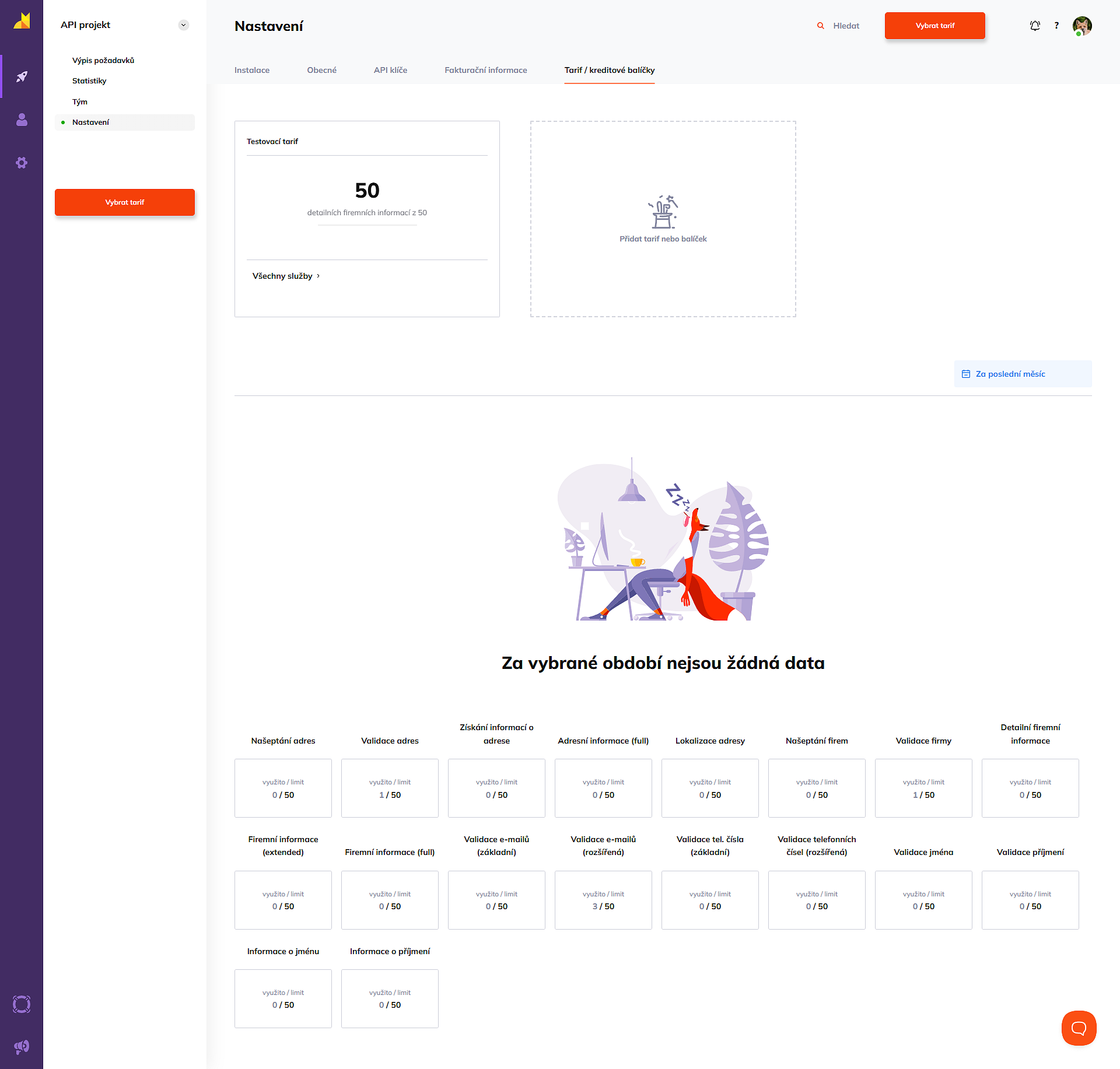
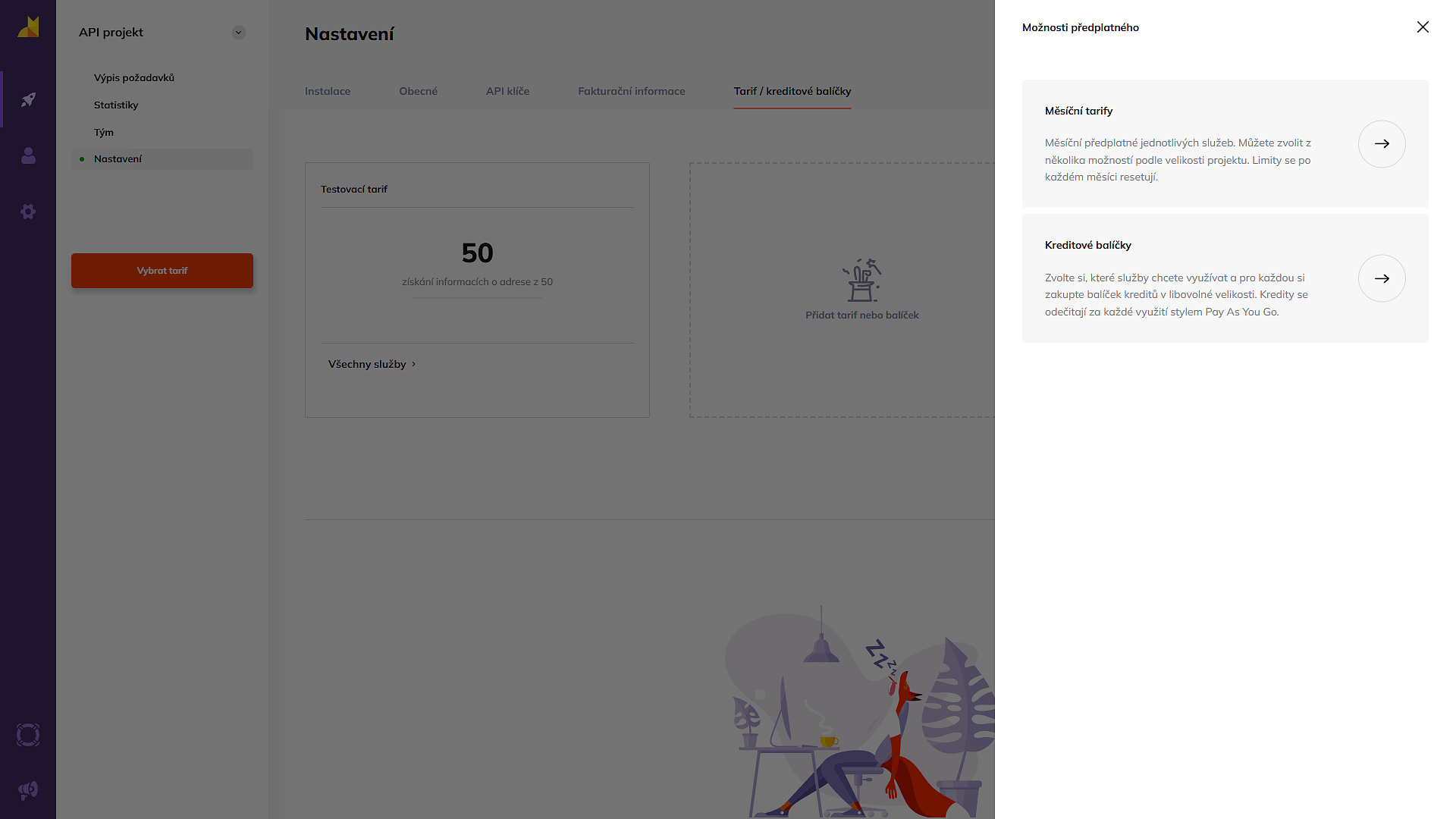
In the Plan / credit packages section, you'll see the current usage of your services. To purchase new services, click the Choose plan button. The first step is to choose between two models:
- Monthly plans: an ideal solution for large projects with stable traffic, where for a monthly fee you get a set number of requests that reset at the start of each period,
- Credit packages: more suitable for smaller projects with seasonal fluctuations (you purchase a credit package valid for 2 years, which is drawn down based on actual usage).
Tailored service configuration
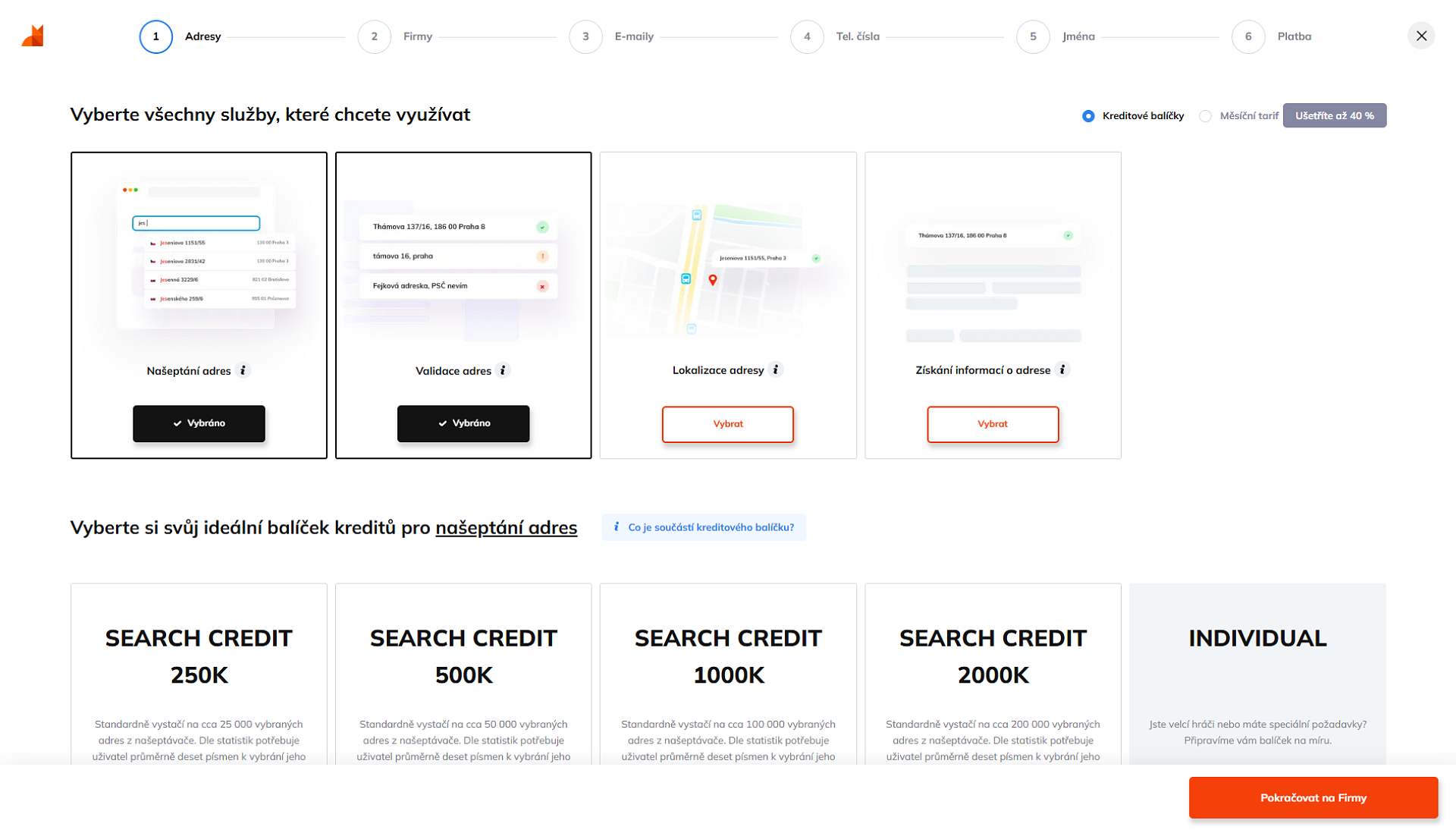
The purchase process is divided into steps by individual service category (addresses, companies, e-mails, phone numbers, and names). For each category, you have complete freedom:
- You can choose a specific type of service (e.g. in the addresses category, choose only autocomplete and validation),
- if you don't need the given category at all, simply continue without selecting a service, and the system won't add it to the cart.
Completing the payment and automatic renewal
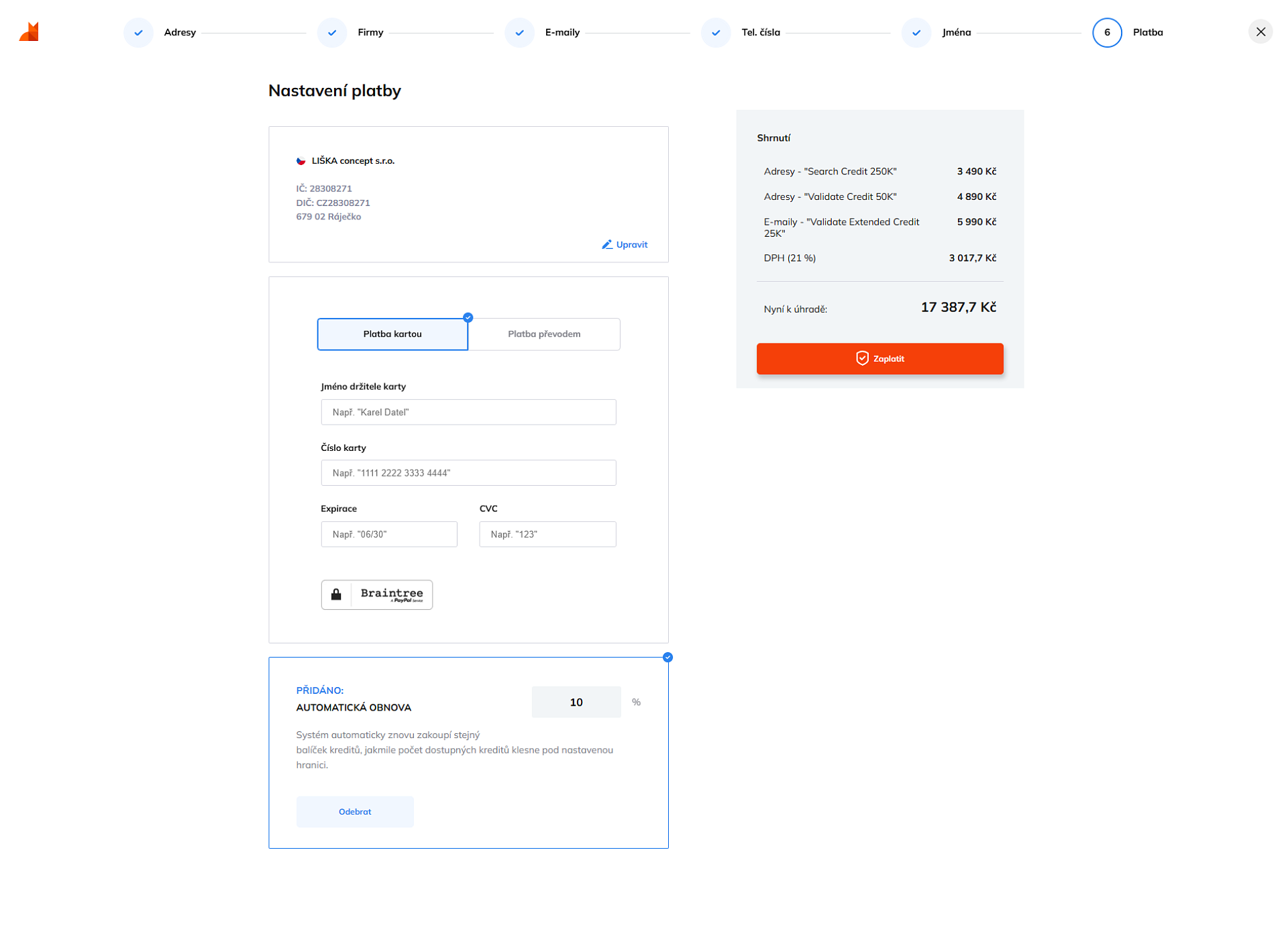
In the last step, you'll see a summary of your order, where you can adjust your billing details and choose a payment method. We support card payment via the Braintree gateway or classic bank transfer.
Automatic credit renewal
To avoid a situation where Foxentry stops working on your website because your credit has run out, we recommend activating the automatic renewal feature. The system automatically purchases the same package the moment your credit drops below a set threshold (e.g. 10%). This feature is only available with card payment.
Usage overview
After purchasing, you'll find a detailed overview of all active services in the Plan / credit packages tab. For each one, you can see the total limit and the current usage status. If you notice that your services are running low, you can purchase another package at any time using the same process.