

How to connect to Make.com
Automate your processes and streamline data management with Make.com and Foxentry. By connecting through the REST API, you can unlock the full potential of your data with ease. Make.com allows you to seamlessly integrate our features directly into your workflows without the need for complex programming. Save time by automating data verification and data enrichment, and eliminate the hassle of manually checking contact information.
When was the last time you wasted time manually entering data into a system? And what about those undeliverable emails in your database? How about automating data enrichment in your CRM? All you need is a company ID or a name, and we’ll fill in the rest for you. Thanks to Make.com, you can implement the No. 1 Czech validator into your system in just a few minutes.
How to connect to Make.com
- To integrate with Make.com, you need an active API project with sufficient credit and a valid API key. Here's how to create an API project.
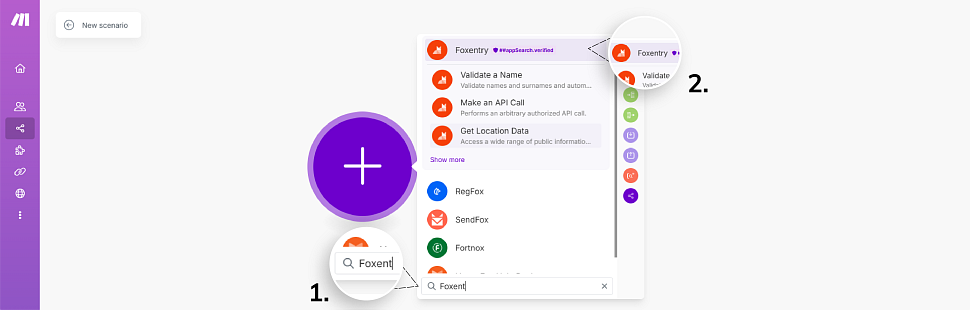
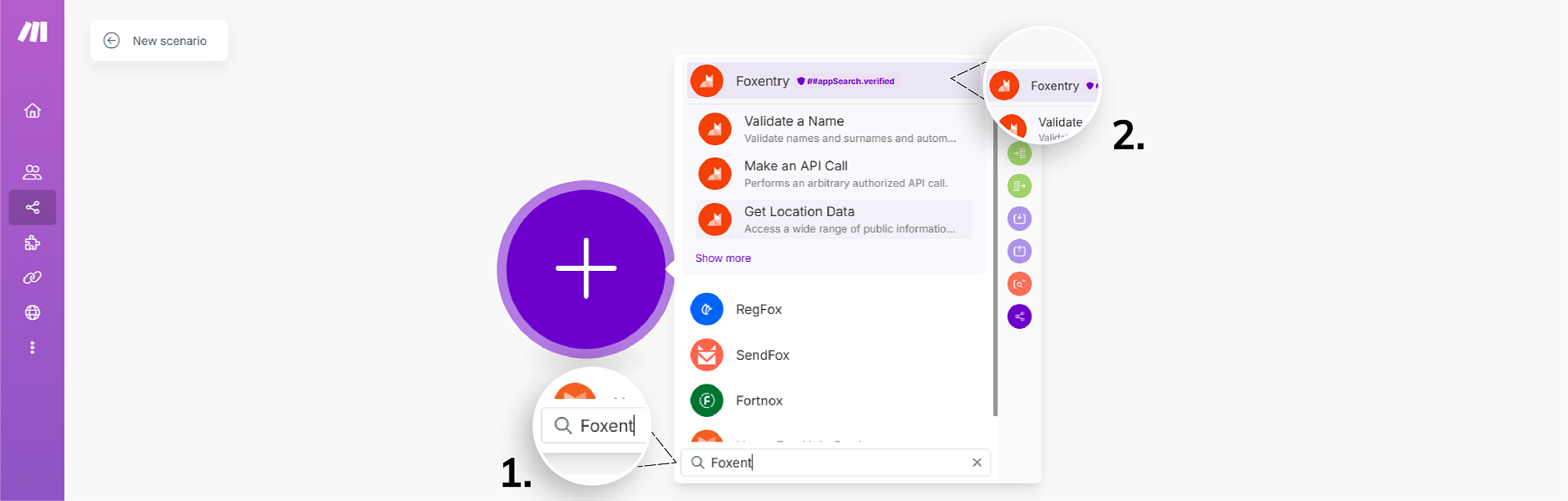
- Foxentry is an approved application on the Make platform, which means that implementing it is as simple as searching for it within scenarios when adding a module. Click "Add module," then type "fox" into the search field (1) and select the Foxentry application (2).
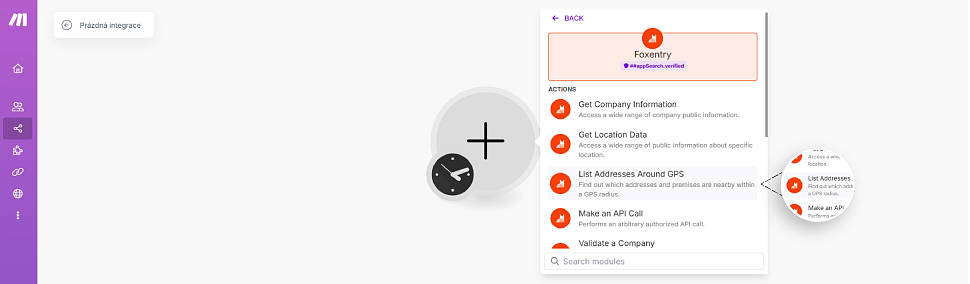
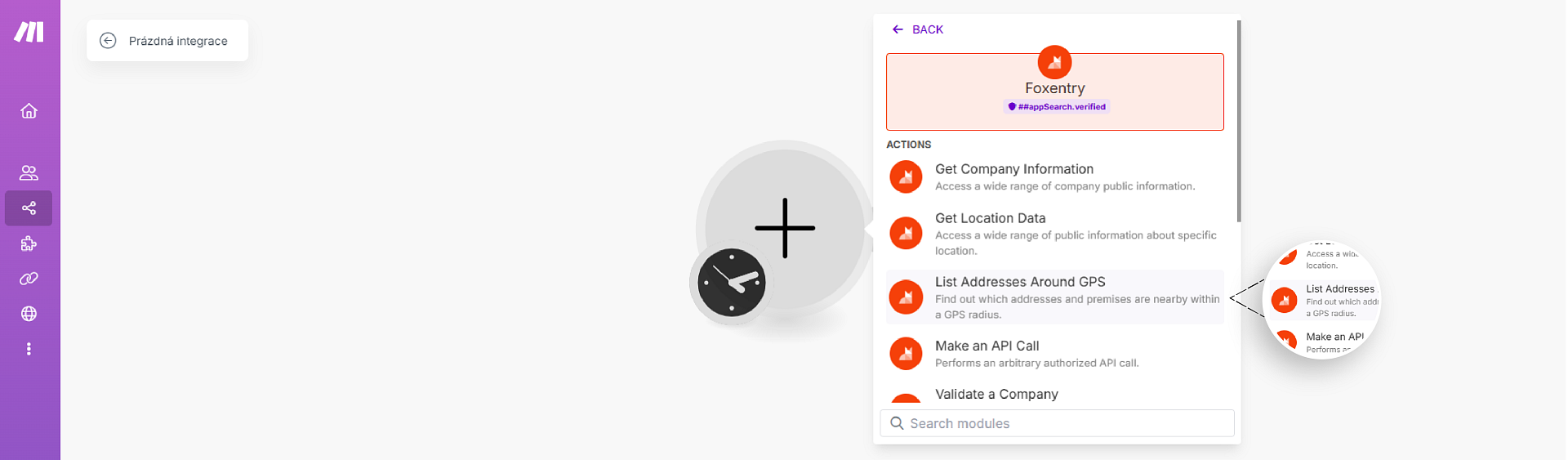
- Select the type of action you need in your scenario. We choose module List Addresses Around GPS for the case of illustration. This allows you to return nearby addresses based on the GPS coordinates you enter.
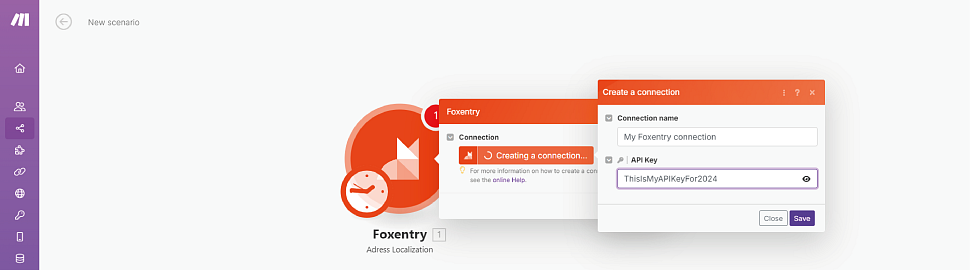
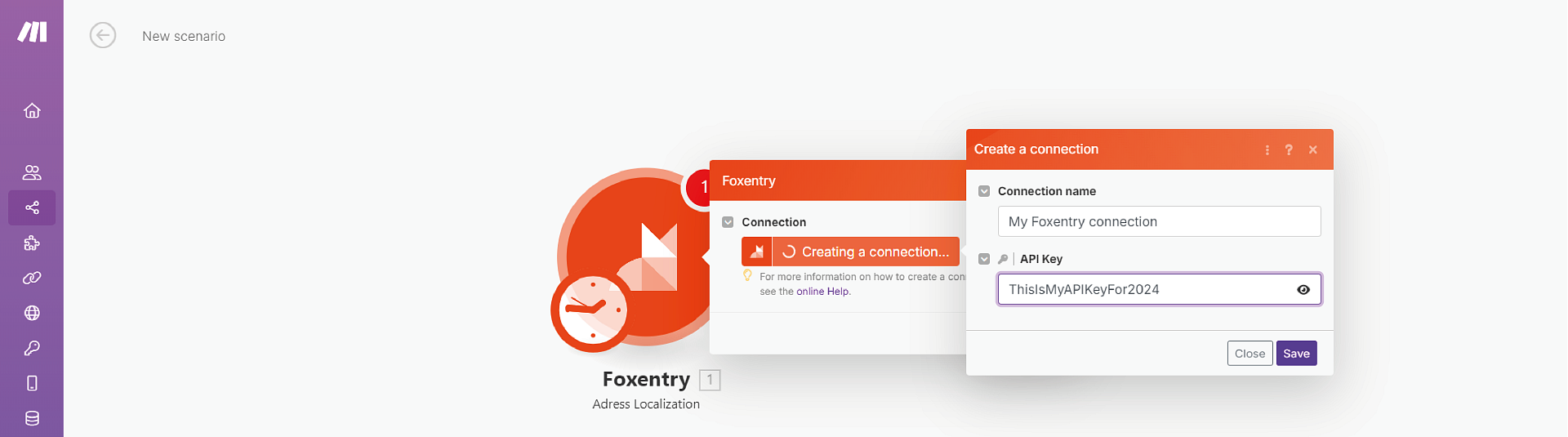
- Now you need to create a connection with your project in Foxentry, click on Create a connection.

- Now enter your API key and click Save.
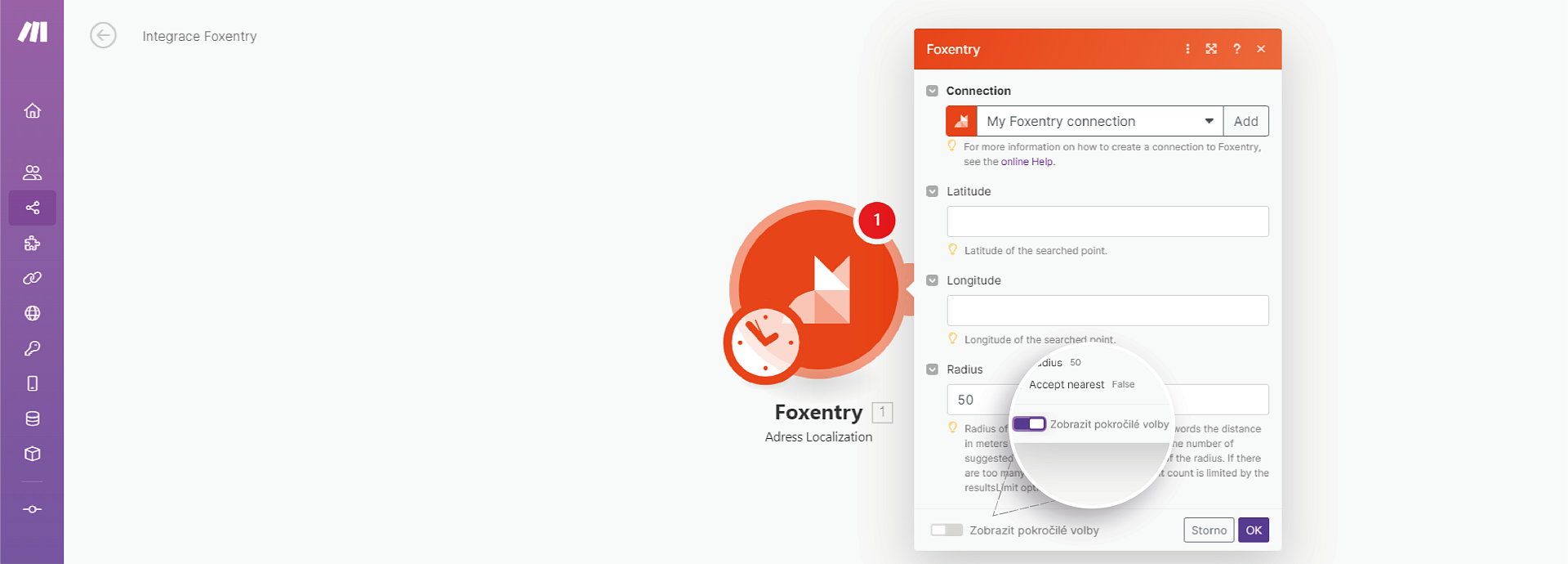
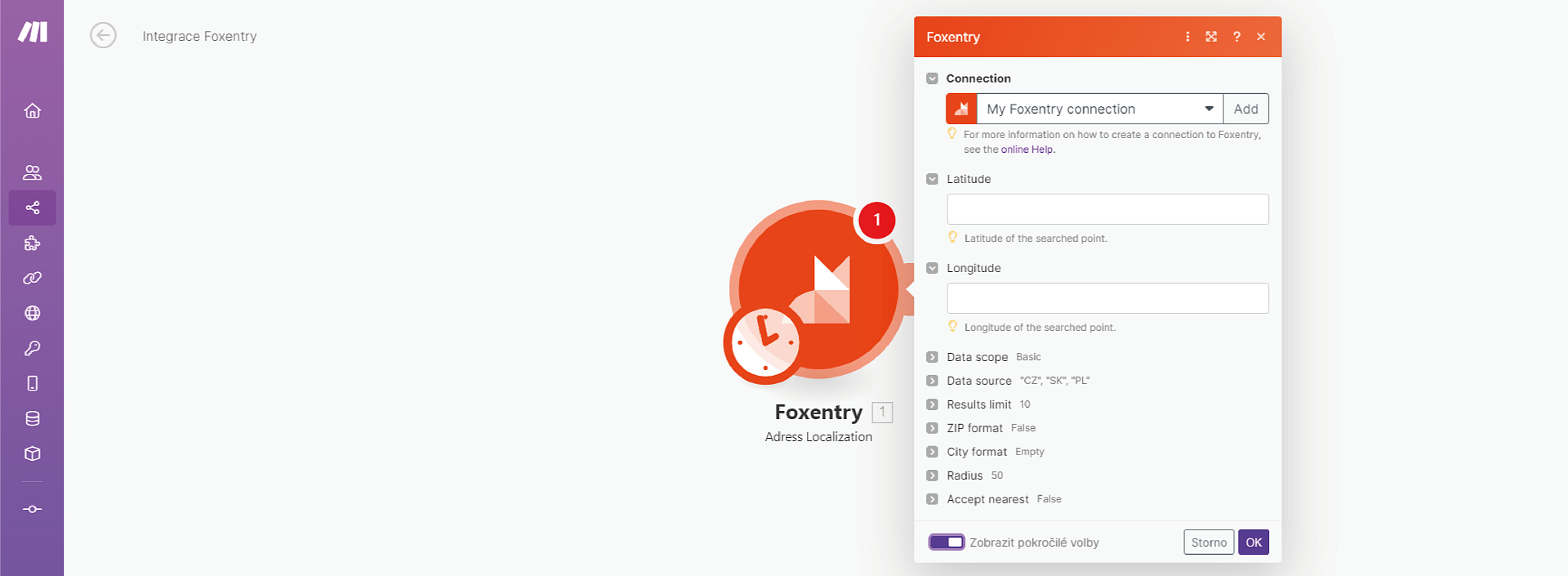
- Now you can Foxentry in your scenario. You also have the option to click the Show Advanced Options button.
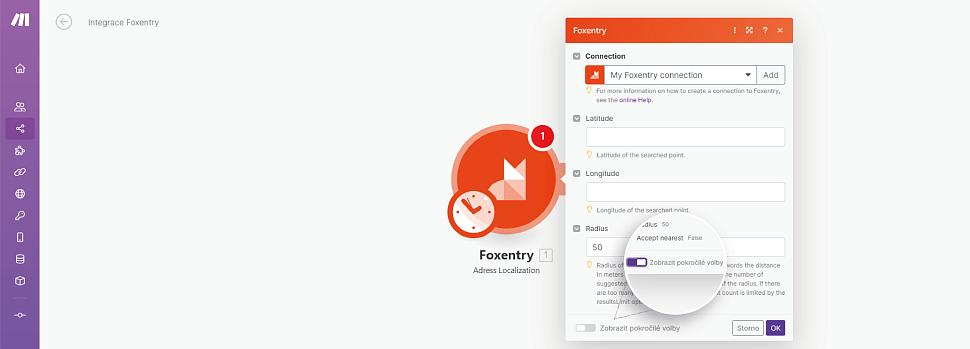
- This will open additional action settings. These include validation types, limits on the number of results, zip code format, and other options.
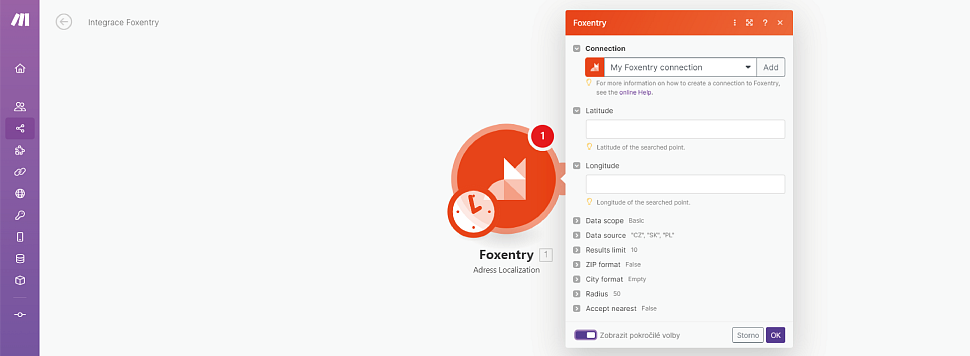
- The advanced settings and options for each validation vary with each action type. We recommend you always review them and look at their options. For details on each validation and its types, please visit our API documentation site foxentry.dev.

Advanced scenarios and possibilities
There are no limits for Make & Foxentry. Or at least, we haven't found them yet. If you want to learn more about the possible scenarios, action types and their settings. Visit our API documentation site Foxentry.dev in section Low-code & No-code for more detailed information and pre-made scenarios you can apply in a blink of an eye.
Still having trouble? Leave us a note.